Improve the RAM management on your PC
SuperRam is a tool that allows you to locate excess RAM usage on your computer so you can clean it up.
Top Recommended Alternative

Taking control of your RAM is one way to free up resources , since Windows can sometimes be very inefficient at managing it quickly. In order to do this, you'll want to look into finding a RAM cleaner of some sort.
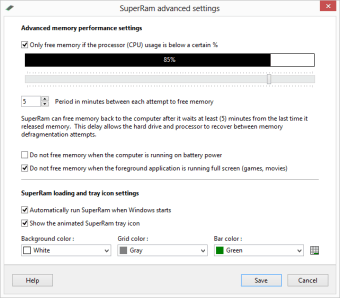
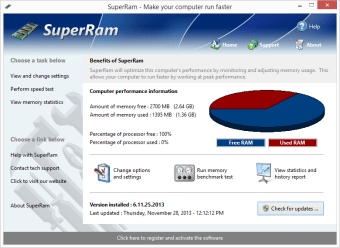
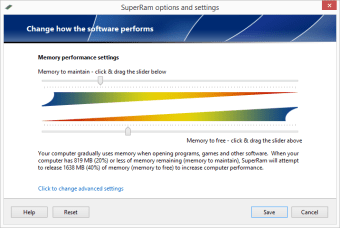
Once installed, SuperRam doesn't require much setup apart from defining the threshold at which you want it to start cleaning RAM. After that, SuperRam takes care of the job itself, flushing RAM when it reaches a certain tipping point. SuperRam's interface is also relatively easy to use and navigate around.
When SuperRam flushes, there can be a brief lag in your system performance, but afterward you will notice an improvement in performance. RAM is somewhat like a bottomless pit though. The more you clean it out, the fuller it seems to get, especially when opening new applications. Eventually, you may find that the lags SuperRam creates when it flushes RAM are causing more problems than would be caused by simply letting Windows do the job itself. In the end, if you're still having difficulties, it makes sense to simply consider upgrading your RAM to fix your memory-related PC problems.
SuperRam doesn't do a bad job of increasing computer performance by freeing wasted memory, but the process can be lengthy and is ultimately no substitute for increasing memory by upgrading RAM.
Changes
Fixed small bug with Unicode characters being entered into the name portion of the serial entry form which would not allow some customers to activate the software with their serial